1Get the file from Goodreads
In Goodreads, open “My Books” and choose “Export Library”. You get a CSV file. Save it to iCloud Drive or on the device.
2Open the file in DAS MUSEUM
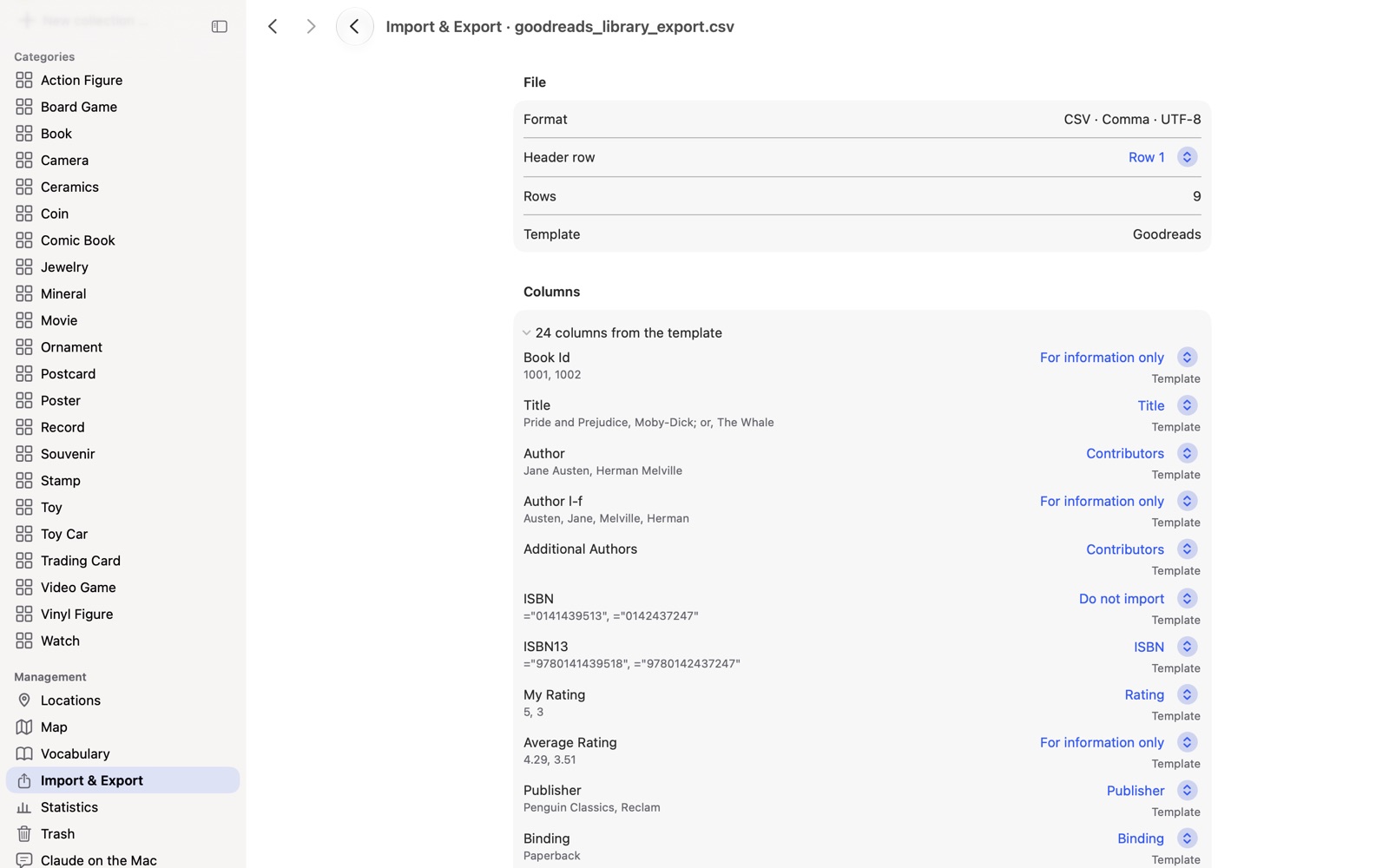
Choose “Import table” and tap the file. DAS MUSEUM recognizes the Goodreads template by itself from the header row.
3Check the columns
Title, authors, ISBN*, publisher, binding, pages, publication year, rating, reading status, reading date and shelves are already matched. Everything else is kept word for word under “More details”.
4Review the result and adopt it
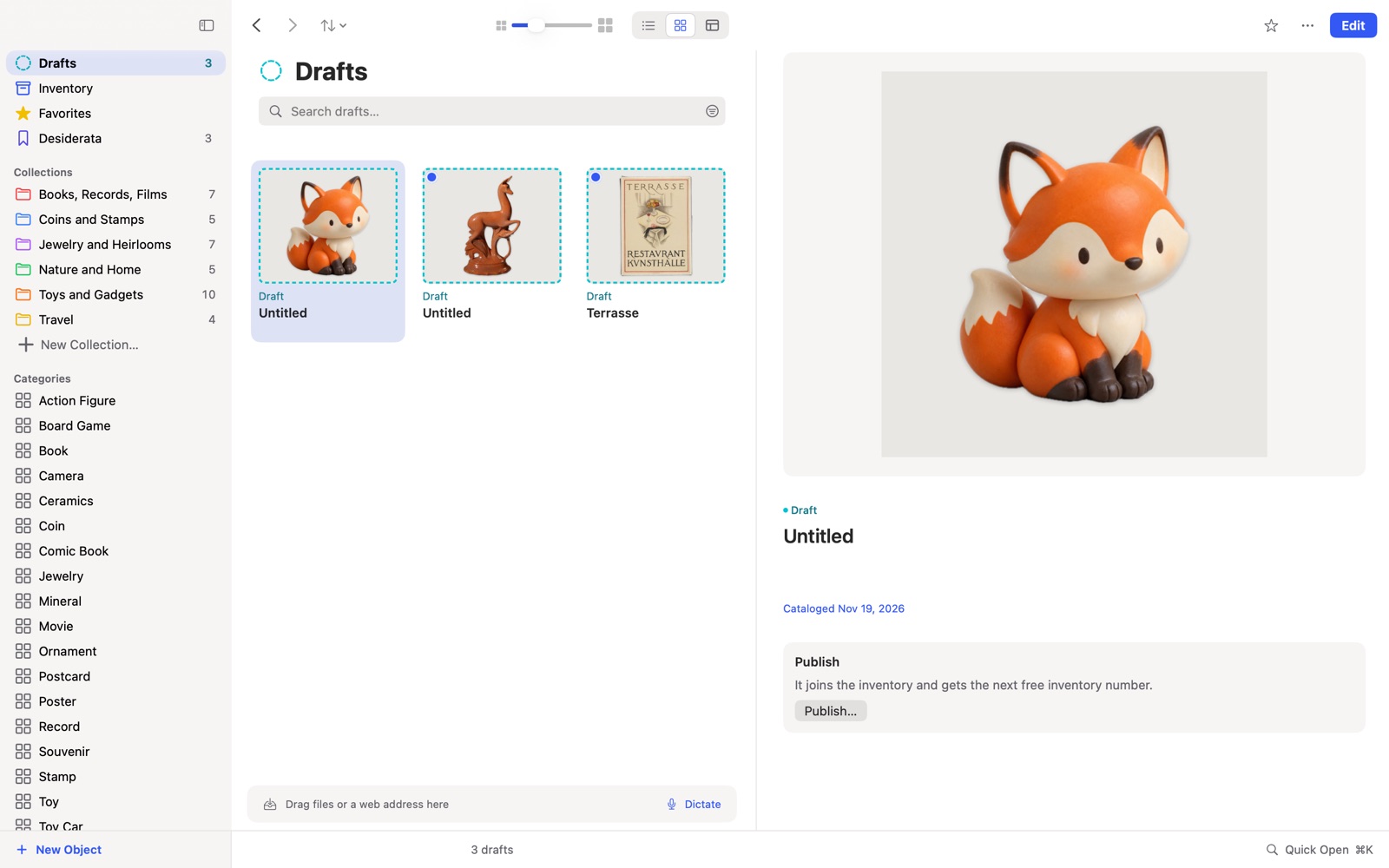
Every row is a draft, including the “to-read” books. Look through the drafts and adopt what you want. Discard the rest with one tap.
5Add the photos
The file contains addresses, not pictures. “Load images from the web” fetches the covers if you want them. Only then does the app go online.
What comes along and what does not
| Comes along | Does not come along |
|---|---|
| Title, authors, ISBN*, publisher, binding, pages, publication year | Default shelves such as “read” and “to-read” do not become tags |
| Rating, reading status, reading date* | Private values the app cannot read: they drop out, and the check counts them |
| “Private Notes” as private notes | Pictures: the file contains only addresses |
Frequently asked questions
Do I need a Mac for this? No. You can open the file directly on your iPhone or iPad.
What happens to my ratings and notes? Rating, reading status and reading date go into the reading fields*, “Private Notes” into your private notes. Both stay private. Whatever cannot be read is shown to you by the check before you adopt anything.
Does my Goodreads account stay unchanged? Yes. You import a copy of the file, and nothing in Goodreads is deleted or changed.
How long does it take? For a modest collection it is five short steps. With many books, loading the photos takes the longest.
* ISBN and the reading fields belong to the Books add-on package.
Related: All ways to switch, LibraryThing, Libib
Goodreads is a trademark of its owner. DAS MUSEUM is not affiliated with this provider.